Innovation
EmergeAI Risk Radar
EmergeAI Risk Radar is an AI-powered software risk assessment tool built for QA and release teams. It analyzes requirements, bug reports, and code changes together grounded in your own project documentation through retrieval-augmented generation to flag release risk before it reaches production and auto-generate the test cases needed to close the gaps.
Request Access / Login
Users can request access to the EmergeAI Risk Radar platform by providing the required information. Once access is approved, authorized users can securely log in and use the platform for AI-powered release risk analysis.
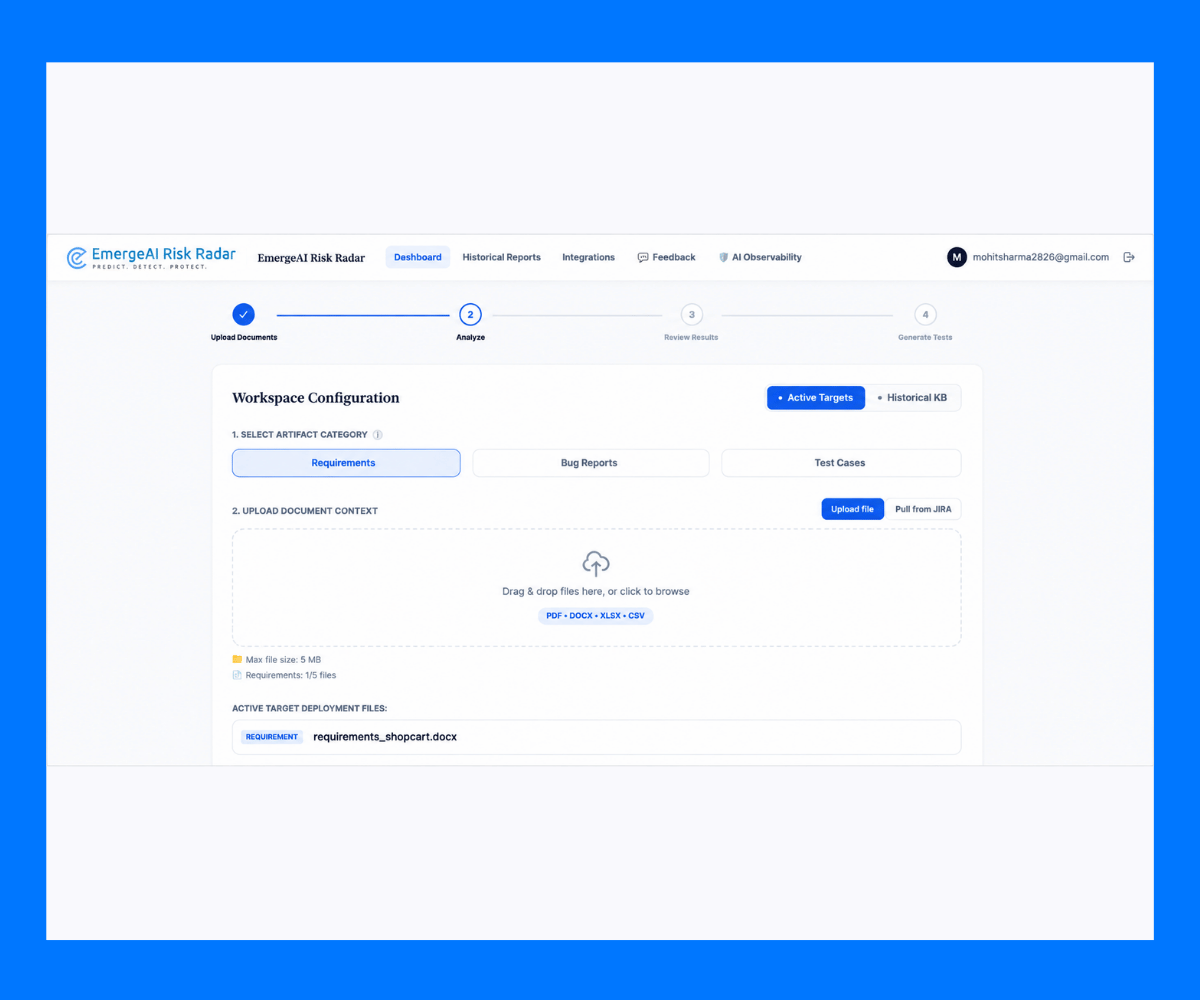
Select a Requirement File
Upload and select requirement documents to provide the platform with the functional and business requirements of the project. These requirements become part of the analysis and help identify potential risks and coverage gaps.
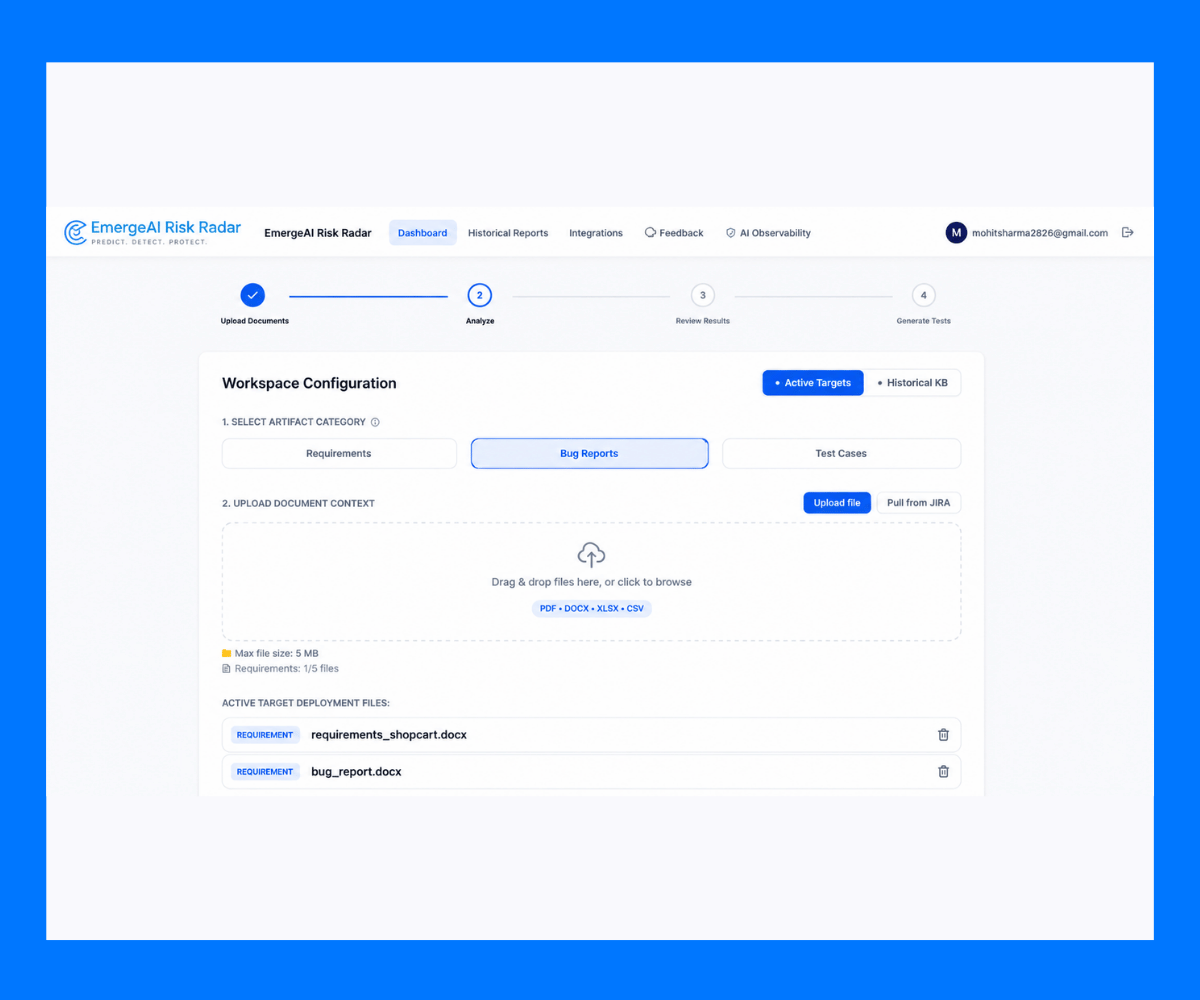
Select a Bug Report File
Upload bug reports containing previous or current defects related to the project. The platform uses this information to identify recurring issues and understand potential risk areas associated with the release.
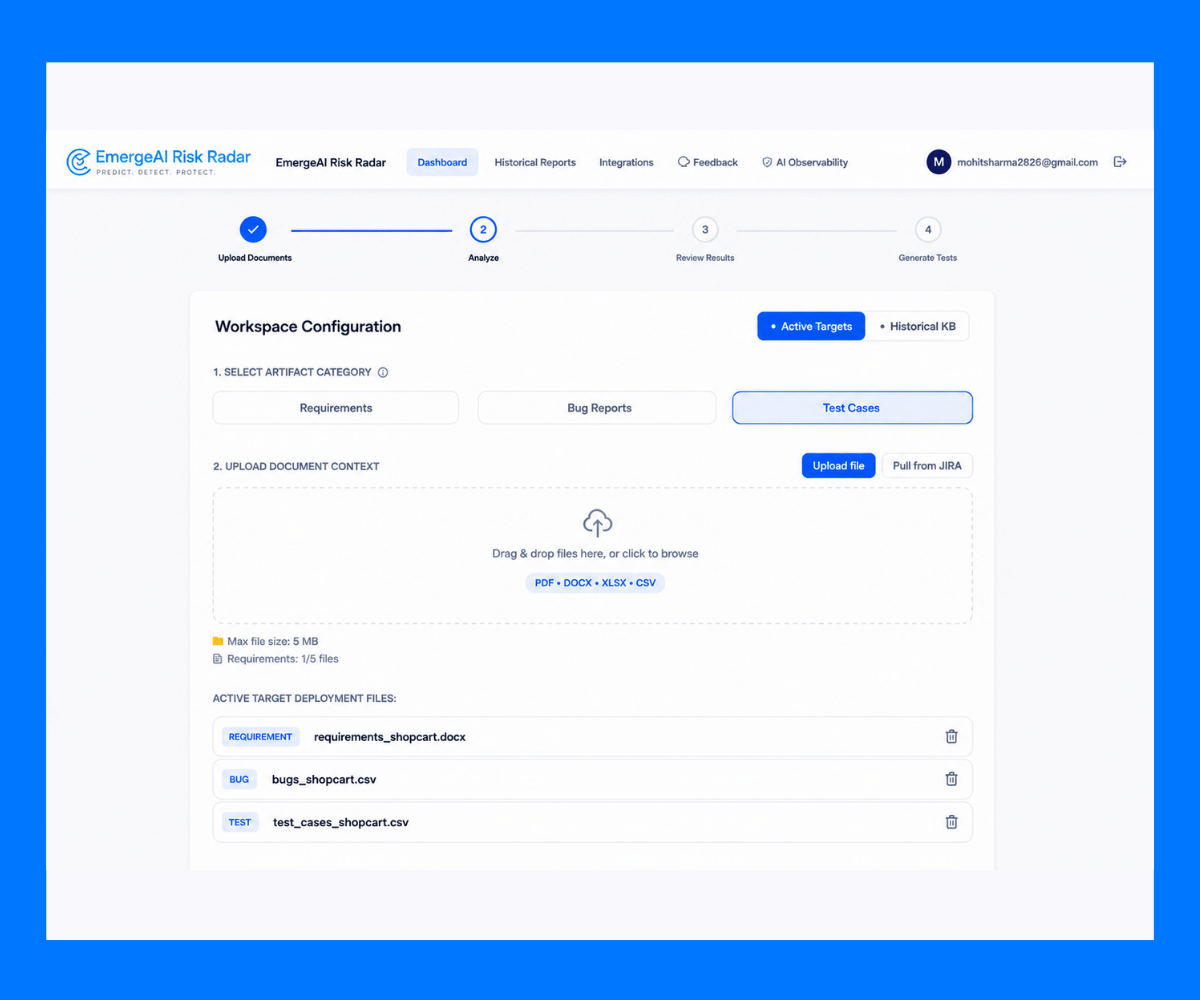
Select a Test Cases File
Upload existing test cases to help the platform evaluate current test coverage. This allows the system to identify requirements that may be untested or only partially covered.
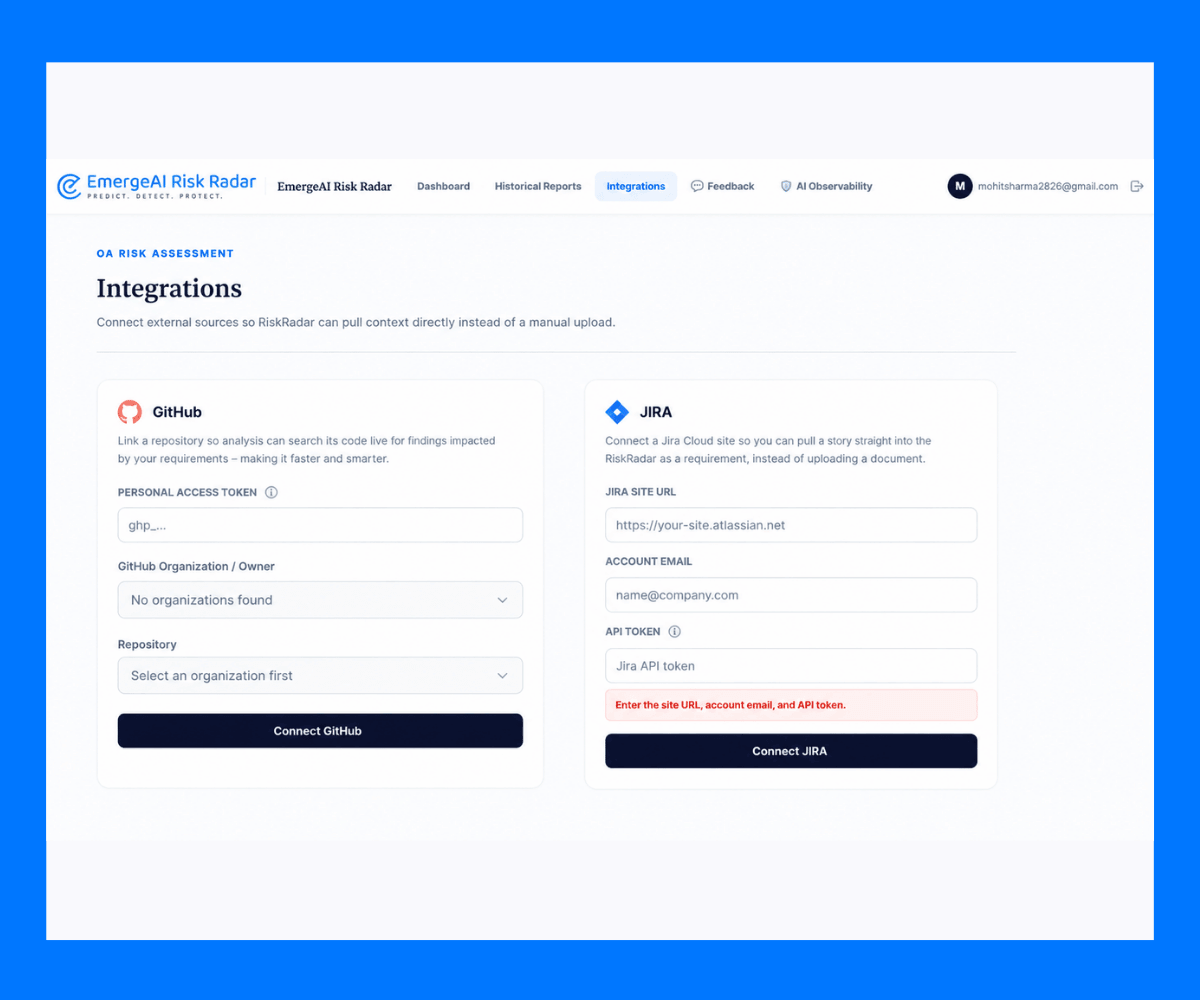
Add GitHub and Jira Credentials
Connect GitHub and Jira based on project requirements to include additional development and defect information in the analysis. GitHub integration helps identify relevant source-code references, while Jira can provide stories and defect information.
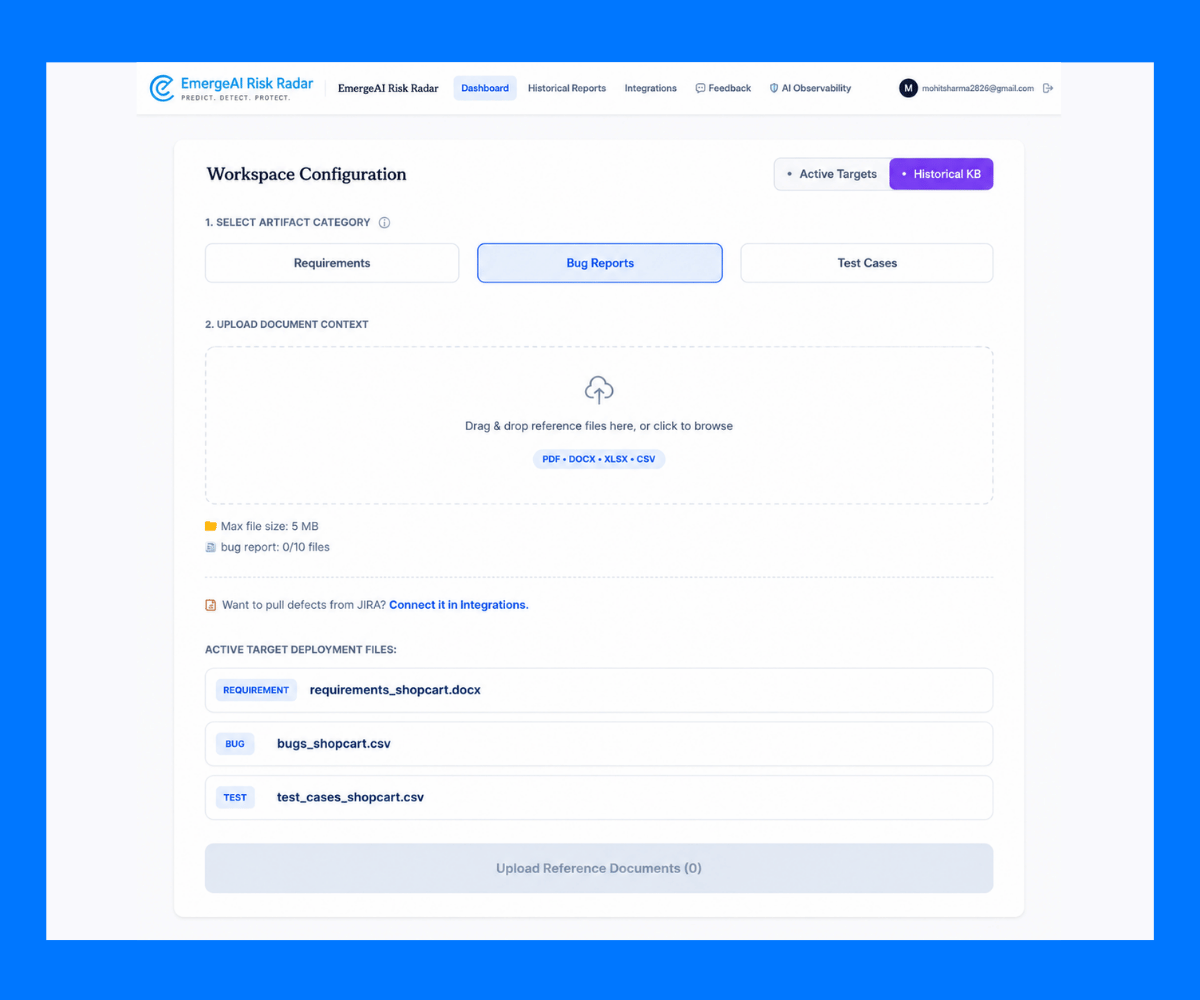
Add Files to the Historical Knowledge Base
Upload previous project artefacts to build a historical knowledge base. Historical requirements, defects, and test information can provide valuable context and help identify recurring patterns and risks during future analyses.
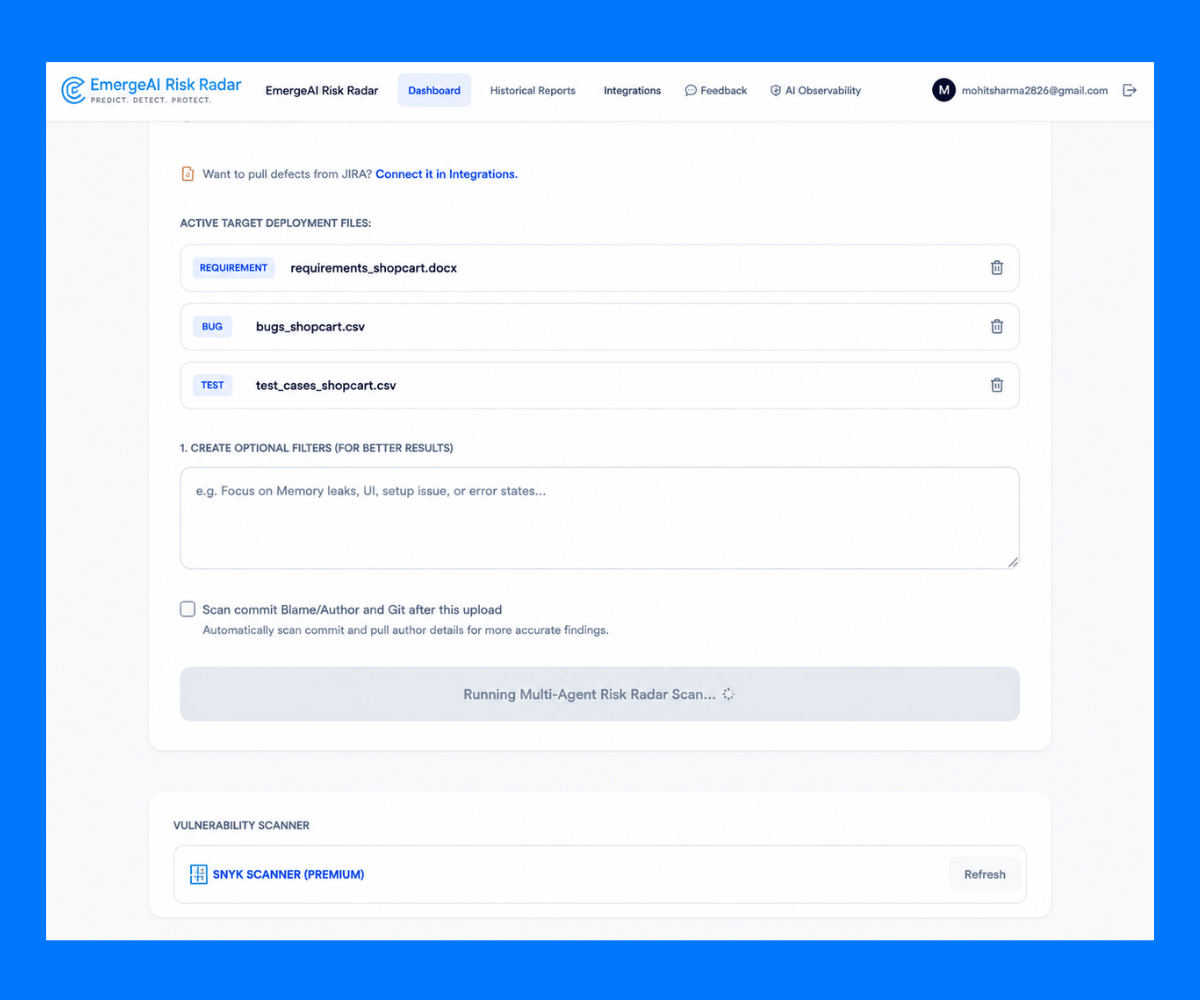
Run Risk Analysis
Users can add an optional query to provide additional context or focus the analysis on a specific area. After selecting the required documents and information, the Analyze function generates an AI-powered assessment of potential release risks.
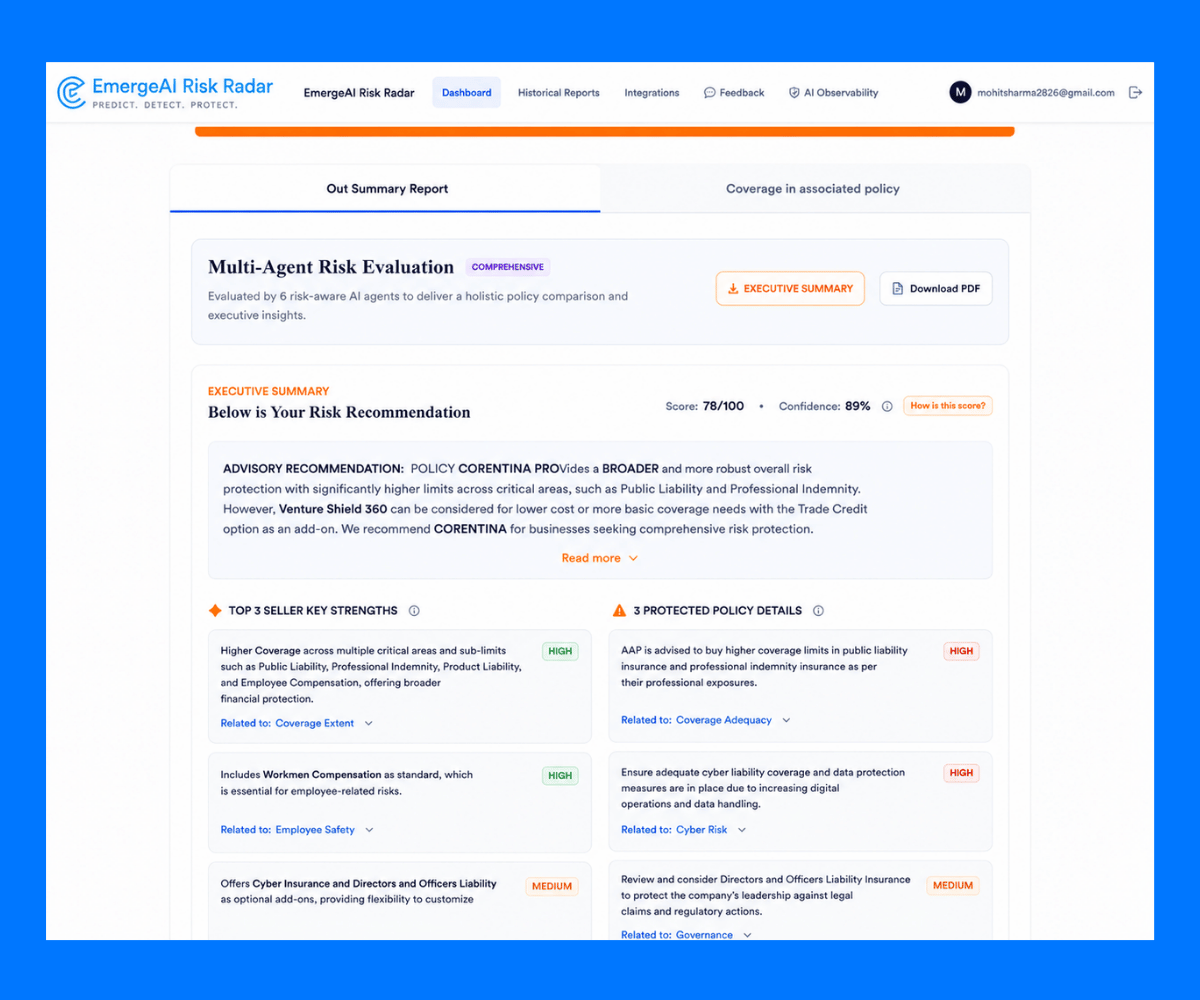
Review and Download the Risk Analysis Report
The platform presents a structured risk analysis containing important findings, risk information, and recommendations. Users can also download the generated risk analysis report as a PDF.
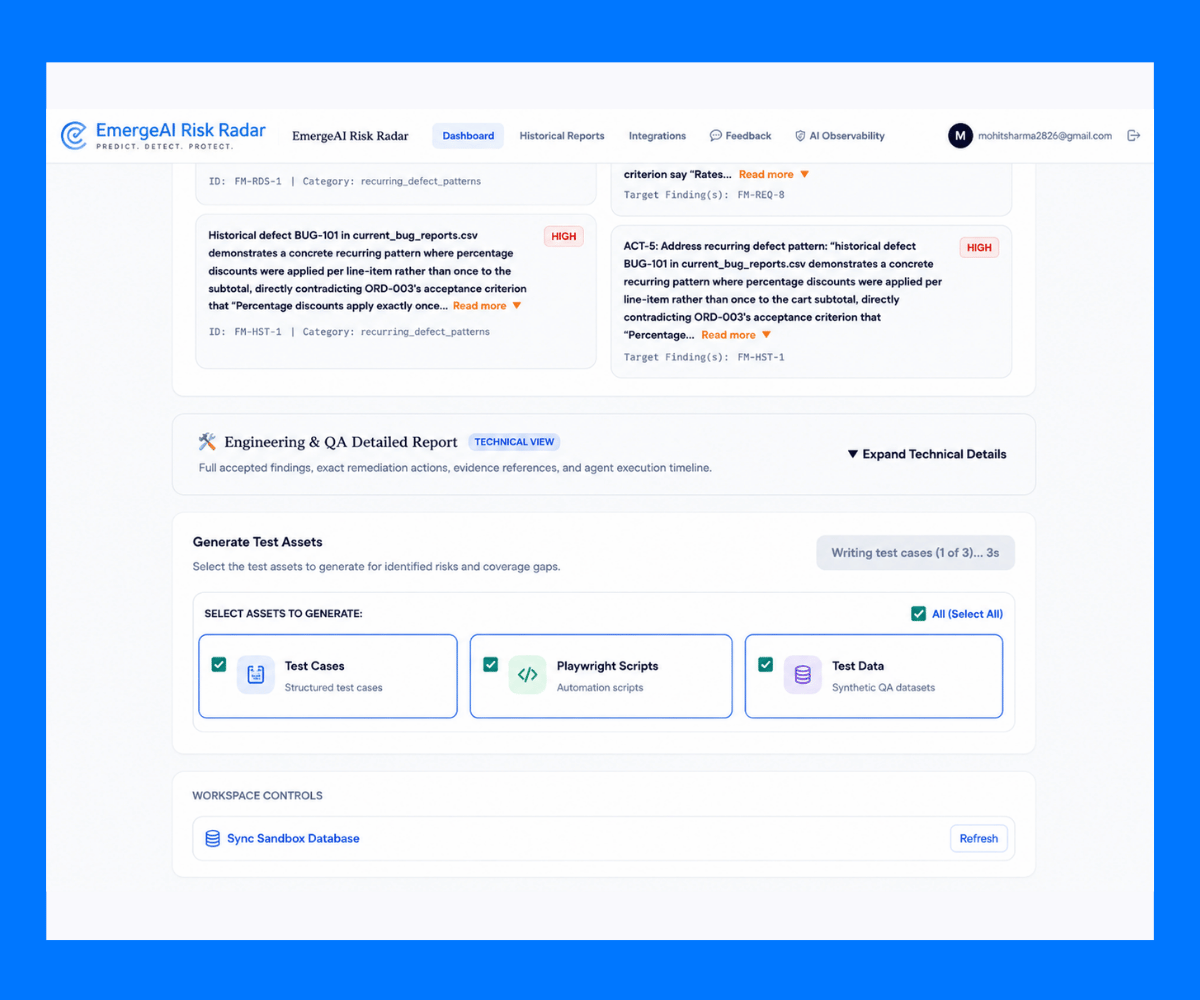
Generate Test Assets Using Specialized AI Agents
Based on the identified risks, coverage gaps, and supporting information, the platform can generate various test assets using specialized AI agents.
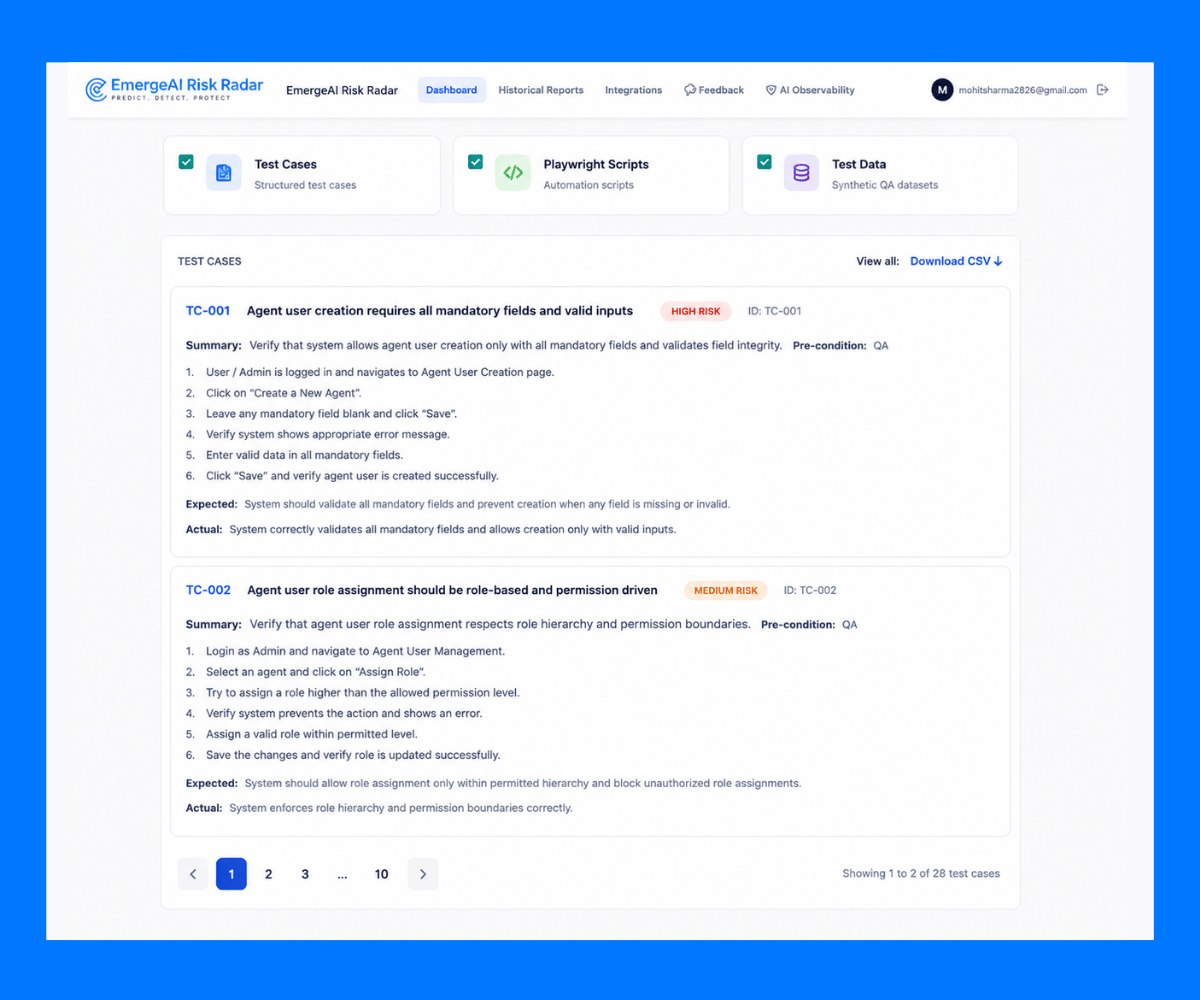
Review and Download Generated Test Assets
Users can review the generated test cases and other testing assets directly within the platform. The generated assets can be downloaded and used by quality assurance teams.
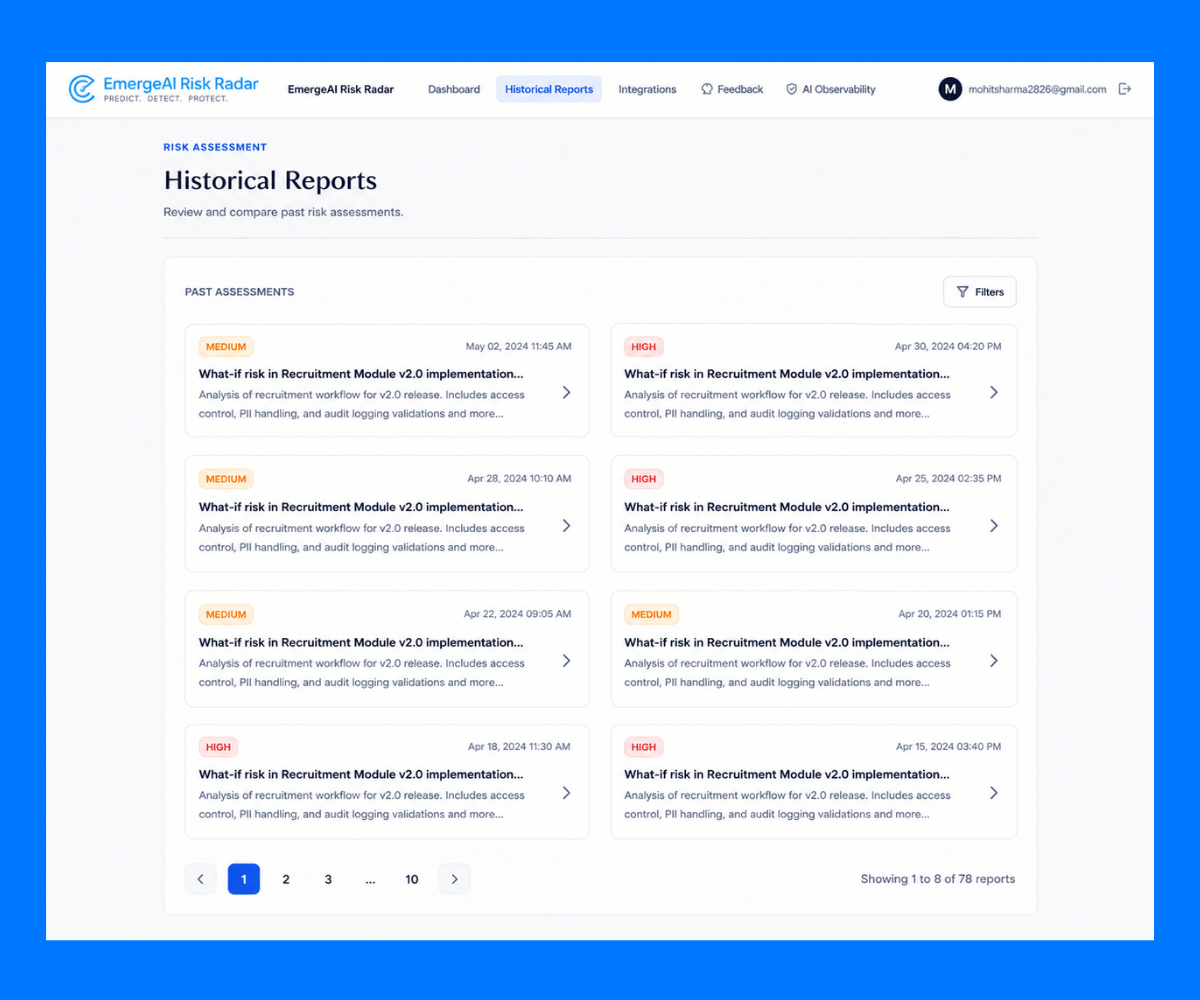
Access Historical Reports
After completing an analysis, previous reports are stored in the Historical Reports section for easier access.
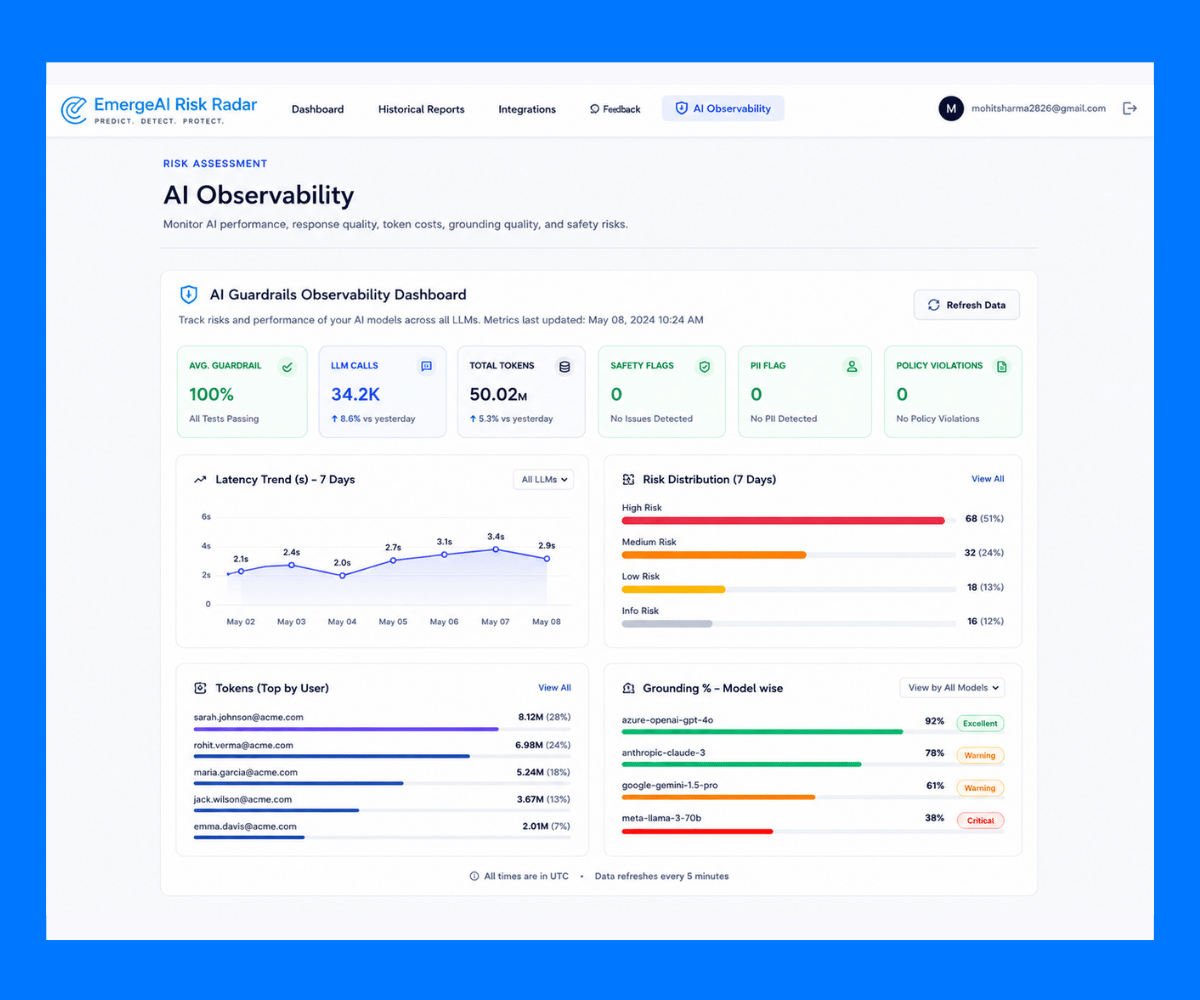
AI Observability
The AI Observability section provides visibility into the platform's AI analysis and monitoring information. It helps users review AI-related activity and identify potential risks involving sensitive or personal information.
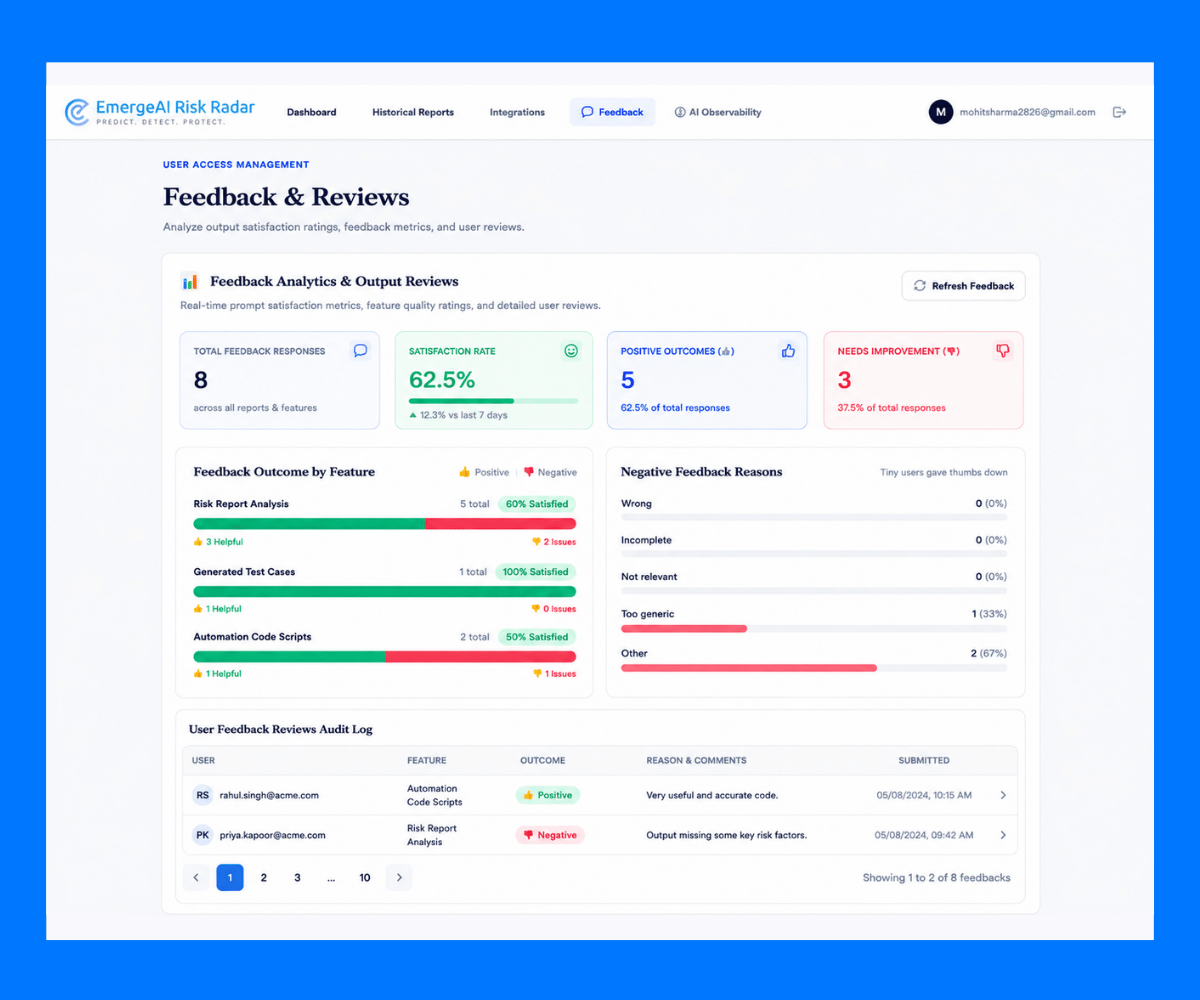
Feedback & Reviews
Users can provide feedback and reviews on the platform and its generated outputs. This feedback is stored and reviewed to help evaluate user experience and support continuous improvement.